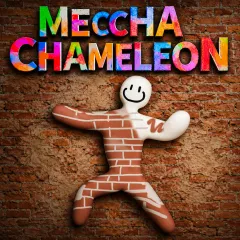
MECCHA CHAMELEON CHALLENGES EVERY COLOR SHIFT
Meccha Chameleon is a platform adventure that challenges players to overcome colorful stages by changing colors at the perfect moment. Every level introduces creative hazards, moving platforms, and clever routes that reward observation over reckless movement. Sharp skill and quick decisions keep every journey exciting as new mechanics gradually increase the difficulty. Change at the right moment and guide every leap toward the finish line!
MECCHA CHAMELEON COMBINES FAST THINKING WITH PRECISE MOVEMENT
Meccha Chameleon constantly challenges players to observe the environment before making the next move. Colored floors, walls, lasers, and switches require the robotic chameleon to switch into the matching color at exactly the right moment. Incorrect choices immediately create new dangers, making every section a clever puzzle rather than a simple run. Later stages introduce moving platforms, tighter jumps, and more complicated obstacle arrangements that combine timing with color management. Successful runs depend on reading each layout, memorizing hazard patterns, and reacting confidently as every room presents a fresh test.
Unleash Your Creativity In Meccha Chameleon
- Creative Painting Freedom: Color different environments with a wide selection of tools while expressing your own artistic style.
- Unique Chameleon Theme: Control an adorable chameleon that blends creativity with playful animations and charming character designs.
- Relaxing Sandbox Gameplay: Explore the map at your own pace without timers or pressure, making every session calm and enjoyable.
- Simple Yet Flexible Controls: Smooth movement and intuitive camera controls allow players to paint accurately from any angle.
- Endless Room for Creativity: Experiment with color combinations, poses, and perspectives to create unique scenes every time you play.
Meccha Chameleon Controls Made Simple
- WASD: Move the chameleon around the environment.
- Drag Mouse: Rotate the camera for a better viewing angle.
- Left Click: Paint the selected surface.
- Right Click: Switch to pose mode and adjust the character.
- Mouse Wheel: Zoom in or out for more precise painting.
LET YOUR NEXT ADVENTURE BEGIN HERE